Best backpacks for middle school
We may earn a commission when you buy through links on this page. It never changes what a guide says. How this works.

The best backpacks for middle school fit the required binders and a cased Chromebook without making the daily load unmanageable. Prioritize usable compartments and body fit before extra liters. Read warranty exclusions carefully: a long warranty does not promise damage-free school years.
Quick picks
Our five best backpacks for middle school come from four makers. The list is a focused comparison, not a ranking of every school backpack.
| Pick | Best for | Key spec | Price tier |
|---|---|---|---|
| Targus 15-16" Sport Backpack | A lower-cost pack with a measured laptop compartment | 20 L; 15.20 x 10.24 in laptop compartment | $ |
| Under Armour Hustle Sport 6.0 | A larger load with a water-resistant finish | 26 L; sleeve holds up to a 16-inch laptop | $$ |
| Herschel Heritage Backpack 24L | A 24-liter pack with a padded floating sleeve | 24 L; 18.11 x 12.21 x 6.5 in | $$ |
| JanSport Main Campus | Separate device access and two main compartments | Two main compartments; dedicated laptop compartment | $$ |
| JanSport Right Pack | A single-main-compartment layout with a leather bottom | 15-inch laptop sleeve; leather bottom | $$ |
Tiers reflect US manufacturer list prices checked November 17, 2026: $ is under $50 and $$ is $50–$149. Discounts are excluded.
Start with the school's exact binder and Chromebook requirements. Count what travels between classes, what stays in a locker and what must come home.
A separate device compartment helps, but a screen-size label does not tell you whether a thick case fits. Where a maker gives no sleeve depth, ask before buying.
The school backpacks guide covers broader choices. Middle school adds several subjects and a device to one bag, and more liters alone will not organize them.
How we chose
Selections use US maker product pages, published capacity and weight, compartment descriptions and official warranty terms. bags.net did not wear, pack or test these bags, so no pick is named the toughest or the most protective.
Chromebook fit depends on sleeve thickness, which none of these five product descriptions publish.
JanSport's two packs are described by layout and sleeve details only, because its pages gave no capacity, dimensions or weight when checked. AAP guidance informs the load discussion, while price tiers use maker list prices.
What to look for
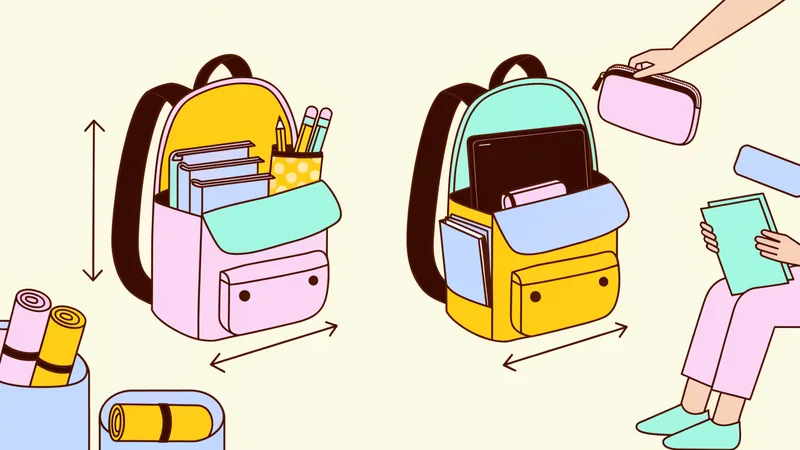
Measure the binders closed. Record their full outside height, width and combined thickness. Ring size alone does not describe the binder's exterior.
Measure the Chromebook inside its case. Write down all three dimensions. Compare width and height with any published compartment size, such as the Targus pack's 15.20 x 10.24 inches, then ask the maker for the depth.
Separate required capacity from spare capacity. The picks with a listed capacity run from 20 to 26 liters. Lay out the busiest class day's load and a light day's load, then judge which end of that range the student needs.
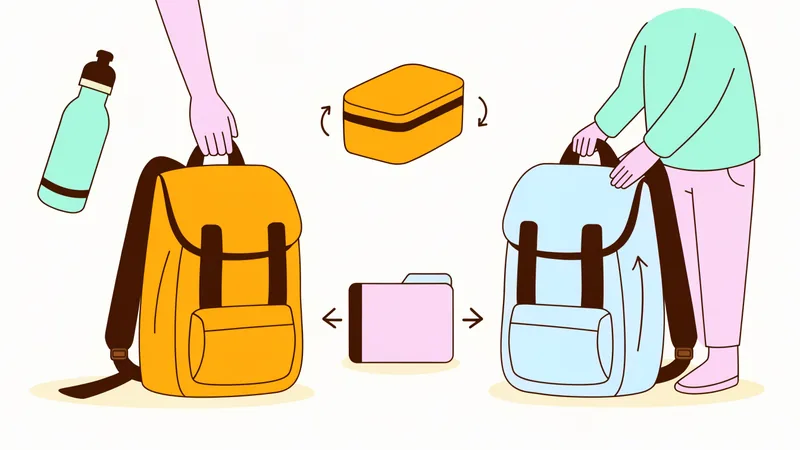
Check the loaded bag on the child. As general guidance, the AAP advises no more than 15% of the child's body weight, so weigh the packed bag. The AAP also recommends using both straps, a bag proportional to the child's height and a close fit. Ask a pediatrician about back pain or individual carrying limitations.
Read the service terms. Look for the original-owner requirement, covered defects and exclusions. Keep purchase evidence and product identification somewhere separate from the bag.
In the store, pull the device out without disturbing the binders, then slide it back. Then see whether the bag still closes with lunch inside.
For more on device fit, see the laptop bags guide.
Best backpacks for middle school: three picks with a listed capacity
Targus 15-16" Sport Backpack: for a lower-cost pack with published sleeve measurements
The Targus Sport Backpack suits a student who needs a light everyday bag and a laptop compartment with stated measurements.
Targus lists 20 liters, 12.23 x 5.23 x 17.76 inches (L x W x H) and 1.00 lb. The laptop compartment measures 15.20 x 10.24 inches (W x H) and works with 16-inch laptops and under. Targus lists a Limited Lifetime Warranty. Price tier: $.
Watch out for: At 20 liters this is the smallest listed capacity here. The compartment measurements give no depth, so check the cased Chromebook's thickness first.
Under Armour Hustle Sport 6.0: for a bigger daily load
The Hustle Sport 6.0 suits a student who carries several binders, a device and gym clothes on the same day.
Under Armour lists 26L and 12.6 x 7.4 x 18.5 inches (H x W x D, as labeled) when full. The fabric is 100% polyester with a water-resistant UA Storm finish. Its soft-lined laptop sleeve with an organization panel holds up to a 16-inch MacBook Pro or similarly sized laptop. Price tier: $$.
Watch out for: The product page does not mention a warranty, and the sleeve is described by laptop model rather than inside measurements.
Herschel Heritage Backpack 24L: for a padded sleeve and a limited lifetime warranty
The Heritage Backpack suits a student who wants a mid-size pack with a padded laptop sleeve and a limited lifetime warranty.
Herschel lists 24 L, 18.11 x 12.21 x 6.5 inches (H x W x D) and 100% recycled 600D polyester, excluding trims. Its padded floating sleeve fits a 15-inch or 16-inch laptop, and Herschel lists a Limited Lifetime Warranty. Price tier: $$.
Watch out for: Herschel gives no sleeve depth, so check the cased Chromebook's thickness first. This guide does not summarize Herschel's warranty terms, so read them before counting on a repair.
JanSport layouts: two main compartments or one

JanSport Main Campus: for two main compartments and device access
The Main Campus suits a student who wants to split class materials between two main spaces.
JanSport describes two main compartments, a dedicated laptop compartment, a front organizer compartment and an H2O pocket. JanSport covers manufacturing defects for the product's lifetime. Price tier: $$.
Watch out for: With no listed capacity or dimensions, this pick cannot be compared by size with the three that list liters.
JanSport Right Pack: for a simple main compartment with a leather bottom
The Right Pack suits a student who prefers one main compartment to several large ones.
JanSport describes a leather bottom, a 15-inch laptop sleeve, large front pockets and a main compartment with ample space. The same JanSport lifetime warranty applies. Price tier: $$.
Watch out for: A leather bottom is not proof of a longer life. As with the Main Campus, no capacity or dimensions are listed.
Compare bags with the same contents inside. An empty bag hides the differences that show once books and lunch go in.
Which one should you buy?
For the tightest budget, start with the Targus Sport Backpack, which is the only $ pick and publishes its laptop compartment's height and width.
For heavy class days, compare the 26-liter Hustle Sport 6.0 with the 24-liter Heritage Backpack.
For a student who prefers one open space, start with the single-main-compartment Right Pack.
For a student who loses things in one big space, consider the two-compartment Main Campus.
For device access between classes, compare the Main Campus's dedicated laptop compartment with the laptop storage in the other four. Have the student rehearse the action with the Chromebook in its school-required case.
For durability, compare warranty terms; no pick here has a proven edge. JanSport covers original-owner manufacturing defects for the product's lifetime, with repair or replacement at its discretion. Targus and Herschel each list a Limited Lifetime Warranty; Under Armour's page mentions none.
JanSport's policy excludes normal wear and tear, accidents, improper care and negligence. Inbound warranty shipping must be prepaid and insured; a lifetime label does not make every repair free of incidental costs.
Whichever bag you choose, assign each compartment a purpose before the first school day. Check that the student can find the next class's materials without unpacking everything.
For organizing a separate food container, see the lunch bags guide. Confirm its packed dimensions before assuming it belongs in the same compartment as the binders.

FAQ
What size backpack does a middle-school student need?
Start with the actual class materials, lunch and device rather than a universal capacity number. Compare the packed contents with the child's fit and carrying needs. The picks here range from 20 to 26 liters where makers list capacity, but none establishes a standard size for every student, timetable or school.
Will a 15-inch laptop sleeve fit a Chromebook?
Not automatically. Compare the Chromebook's closed dimensions, including its required protective case, with usable sleeve measurements.
Targus lists only its compartment's width and height, 15.20 x 10.24 inches, so depth is still unknown. Ask the maker for it before relying on screen size alone.
Does a lifetime backpack warranty cover school wear?
Not ordinary wear. JanSport's policy excludes normal wear and tear while covering manufacturing defects for the product's lifetime. A bag worn out by daily use is not a defective one, so read each maker's claim requirements and keep purchase records.
Should a middle-school backpack have two main compartments?
Two compartments help when you want separate places for different class materials, but they are not essential. Among these picks, JanSport describes two main compartments on the Main Campus.
Try the actual binders, device and lunch together, then check access. Choose the layout that closes easily with everything inside.
Sources
- jansport.com/en-us/products/right-pack-js0a4qva
- jansport.com/en-us/products/main-campus-js0a4qul
- jansport.com/en-us/blogs/student-life/our-best-packs-for-college
- jansport.com/en-us/pages/warranty
- herschel.com/products/heritage-backpack
- underarmour.com/en-us/p/ua_hustle_sport_6.0_backpack/6000397.html
- us.targus.com/products/sport-15-6-inch-laptop-backpack-tsb89104us
- healthychildren.org/English/safety-prevention/at-play/Pages/backpack-safety.aspx